Tap Studio: inspect and record
Experimental
tap-studio, its page and the tap-recording/1 format are experimental: they may change in
any release, including after 1.0, until this notice goes away.
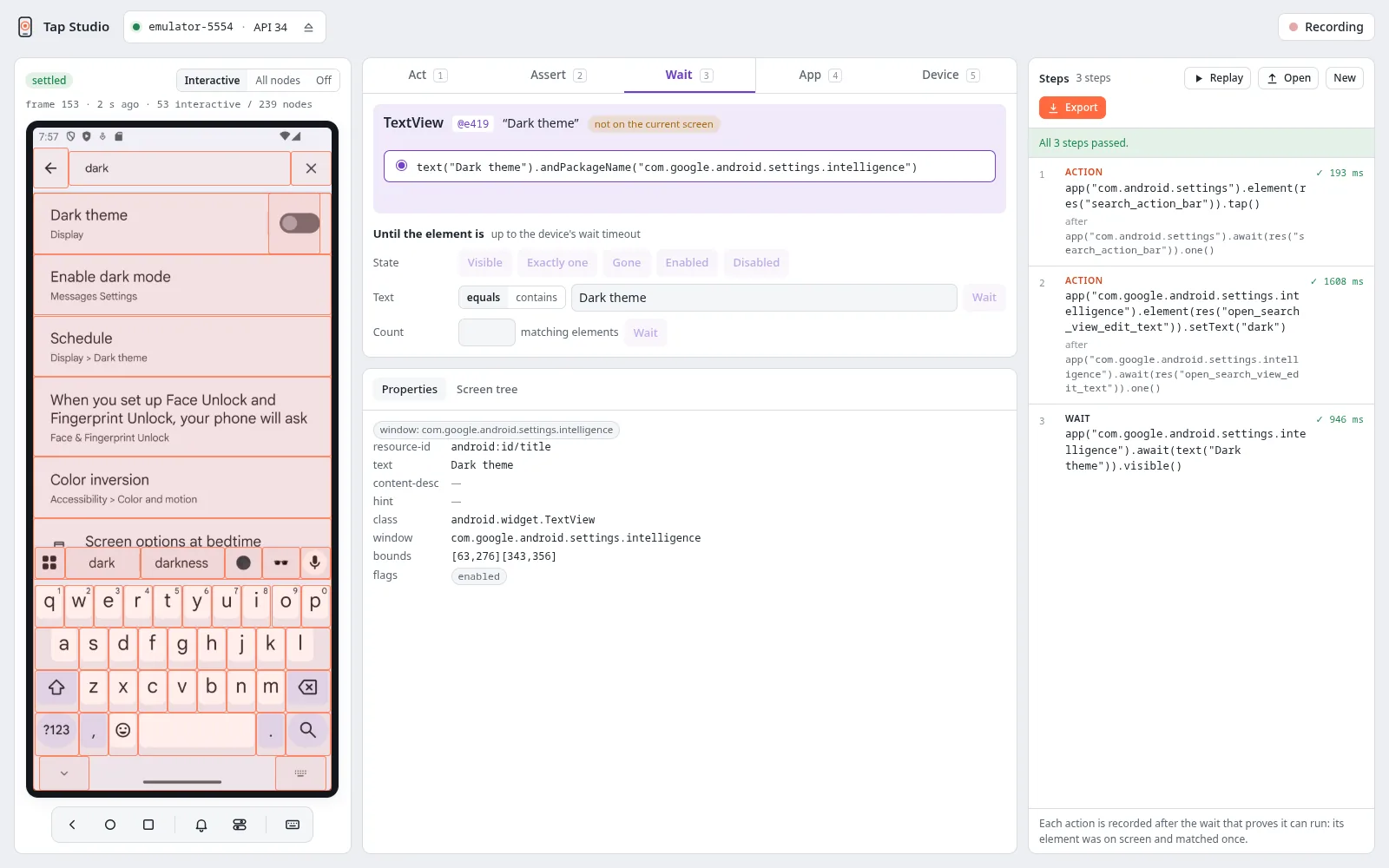
Tap Studio shows a device's screen in your browser with its elements overlaid. It records what
you do there as steps you can edit, replay and export. Every step targets an element through a
selector, the same one you would write in a test (res("search"), text("Log in")), and never
a screen coordinate. It runs through the same tap server your tests use.
Install
It needs the tap server (The tap server), Python 3.10+ and
a browser. Install the Python client first, then the studio:
pip install https://github.com/NoamCohen48/tap/releases/download/client-python/v0.0.2/tap_e2e-0.0.2-py3-none-any.whl
pip install https://github.com/NoamCohen48/tap/releases/download/client-studio/v0.0.1/tap_studio-0.0.1-py3-none-any.whl
Or install it from a checkout of the repository. The page is built with Bun. Run these from the repository root:
(cd clients/studio/web && bun install && bun run build)
pip install -e clients/python -e clients/studio
Run
tap start                    # once; the studio never starts the server
tap-studio                   # serves on a free loopback port and opens the page
| Option | Effect |
|---|---|
--no-open |
Print the link instead of opening a browser (open it yourself). |
--serial S |
Attach device S at start instead of picking it in the page. |
--port N |
Serve on loopback port N instead of a free one. |
The printed link carries a one-time token: the page signs in with it and the studio refuses
anything else. It listens on 127.0.0.1 only. Ctrl-C stops it and frees the device.
Without --serial, the page lists the server's devices: pick one and attach it. Attaching names
no app. Enter the package of the app you work on in the composer's App tab (it suggests the
packages on screen): it is what the panel launches, stops, clears and waits for, and the app a replay
offers to cold launch first (the page remembers it). Selectors are not limited to it, so a
recording can go through a system dialog or a second app.
The studio holds the device exclusively, as a test does, so another client cannot attach it
until the studio releases it.
Next
- A first recording: record, check, replay and export a search in the Settings app, step by step.
- The page: the screen, the composer and its tabs, and how steps are recorded.
- Steps and export: editing and replaying steps, the
tap-recording/1file, and turning a recording into a test.